> ## Documentation Index
> Fetch the complete documentation index at: https://apidoc.crowdchange.dev/llms.txt
> Use this file to discover all available pages before exploring further.
# Donation Form Widget
> Embed the CrowdChange donation form on your site to accept donations inline or in a popup, with customizable colors, language, and layout.
The `donation-form` widget embeds a fully functional CrowdChange donation form on your website. It can render **inline** within the page or open as a **popup** triggered by your own button or link, and it supports a compact **basic** layout as well as the **full** layout.
New to widgets? Start with the [Widgets Overview](/widgets/overview) to add the embed script.
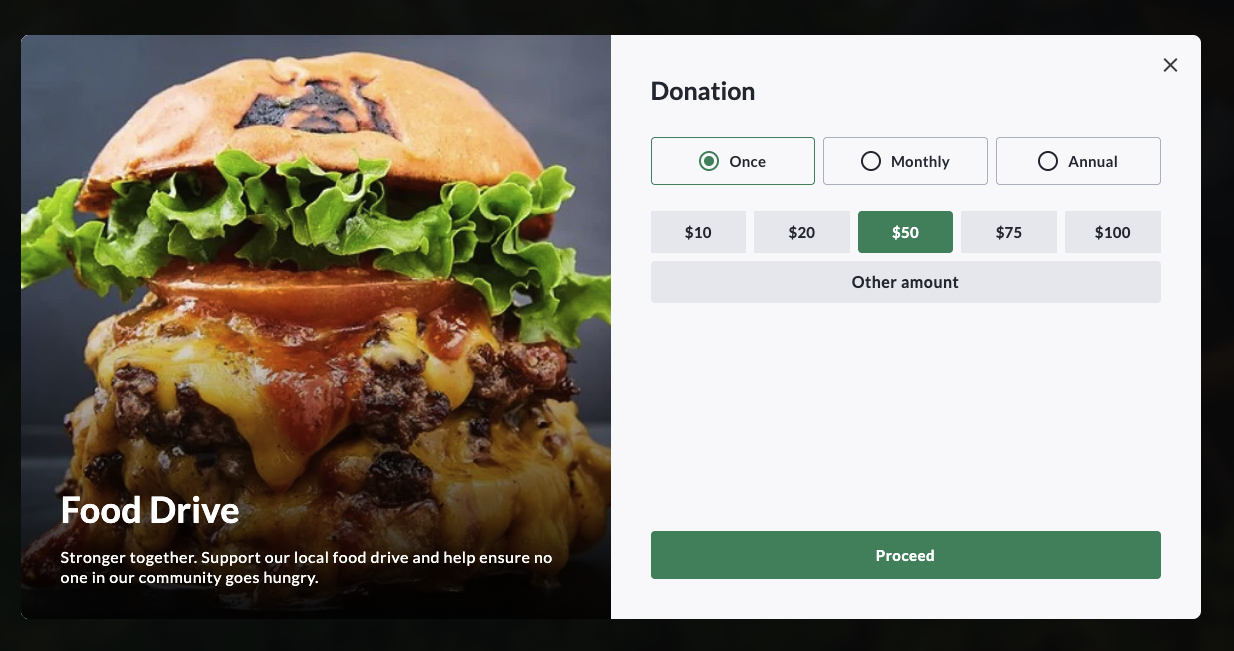
## Usage examples
### Inline donation form
Renders the donation form directly in the page flow.
```html theme={null}
```
Replace `fundraiser` with your fundraiser ID from Step 1 of the overview.
For inline embeds, you can supply your own placeholder by nesting an element marked with `data-crowdchange-loading="true"` inside the `` element. It is shown until the form finishes loading.
***
### Popup donation form (full layout)
A popup needs a trigger — a button or link — to open it. Set `target` to a CSS selector that matches the trigger.
```html theme={null}
```
***
### Popup donation form (basic layout)
The basic layout renders a more compact form.
```html theme={null}
```
***
## Supported settings
| JS Setting | Element Attribute | Description | Default |
| :---------------- | :----------------- | :---------------------------------------------------- | :------------------ |
| `widget` | `widget` | Widget type: `donation-form`. | Required |
| `fundraiser` | `fundraiser` | The ID of the fundraiser. | Required |
| `mode` | `mode` | `inline` or `popup`. | `popup` |
| `layout` | `layout` | `full` or `basic`. | `full` |
| `language` | `language` | The language code, e.g. `en`, `fr`. | `en` |
| `target` | `target` | CSS selector for the element that triggers the popup. | |
| `colorPrimary` | `color-primary` | Custom primary color. | Fundraiser's theme. |
| `colorBackground` | `color-background` | Custom background color. | |
| `refSource` | `ref-source` | Reference source, used only for reporting. | `embed` |