Passer au contenu principal
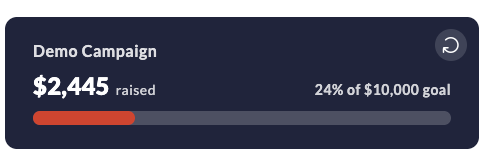
The progress widget displays a live progress bar showing how much a campaign has raised against its goal. It renders inline and can track an entire fundraiser, a specific team, or an individual personal page. New to widgets? Start with the Widgets Overview to add the embed script. CrowdChange progress widget

Usage example

Fundraiser progress

<crowdchange widget="progress"
             fundraiser="1000"
             show-name="true"
             color-text="#ffffff"
             color-primary="#e43d31"
             color-background="#212944"
             progress-bar-color="#e43d31"
></crowdchange>

Supported settings

JS SettingElement AttributeDescriptionDefault
widgetwidgetWidget type: progress.Required
fundraiserfundraiserThe ID of the fundraiser.*
fundraiserTeamfundraiser-teamThe ID of the team.*
fundraiserPagefundraiser-pageThe ID of the personal page.*
showNameshow-nameShow the name of the fundraiser, team, or personal page: true or false.false
languagelanguageThe language code, e.g. en, fr.en
colorPrimarycolor-primaryPrimary color.Fundraiser’s theme.
colorTextcolor-textText color.Fundraiser’s theme.
colorBackgroundcolor-backgroundBackground color.Fundraiser’s theme.
progressBarColorprogress-bar-colorProgress bar color.Fundraiser’s theme.
Provide one of the following IDs to choose what the widget tracks:
  • fundraiser — progress of the overall fundraiser.
  • fundraiser-team — progress of a specific team.
  • fundraiser-page — progress of a specific personal page.
If you provide none of these, the widget shows the overall progress of your site.